Skip to content

Turn any video into steps you can follow.

Share a recipe, workout or how-to video to VYK and get the steps, amounts and timers. No more pausing and rewinding with messy hands.

Download on the App Store
  • Free to try
  • Guides in 11 languages
  • Usually ready in 1–2 min
  • Videos aren't stored
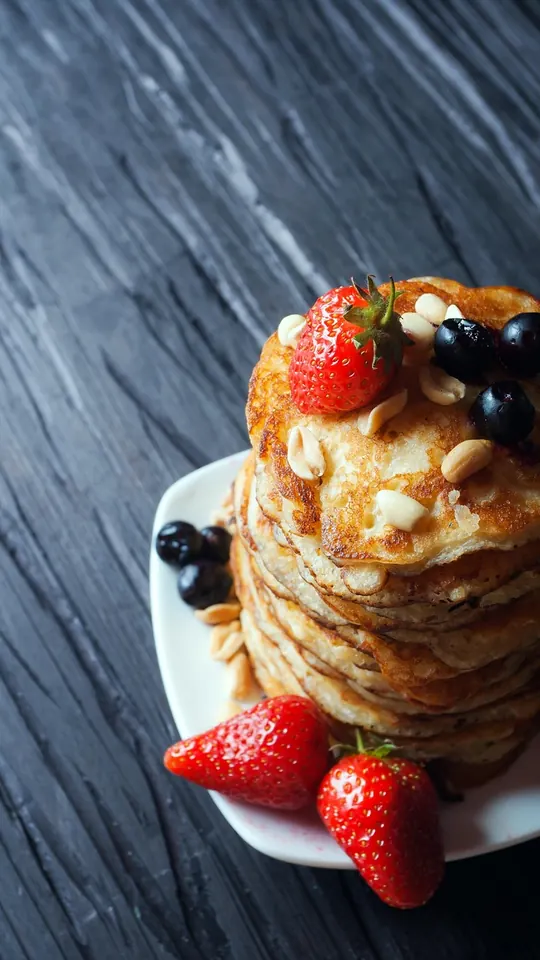
A frame from a Pancakes video
8:47
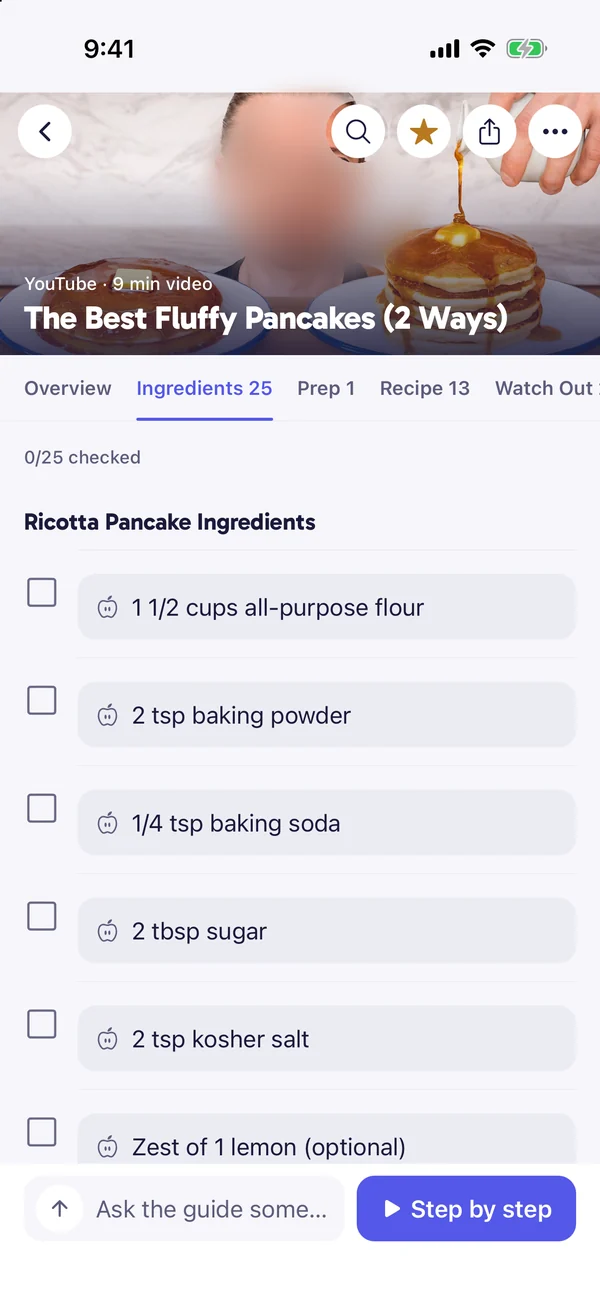
The VYK guide made from the Pancakes video
  • 1½ cups all-purpose flour
  • 2 tsp baking powder
  • 2 tbsp sugar

Your saved videos are scattered everywhere.

Reels, TikToks, YouTube videos, X and Reddit posts. Saved in five apps, never opened again.

Share them to VYK. Now they're guides.

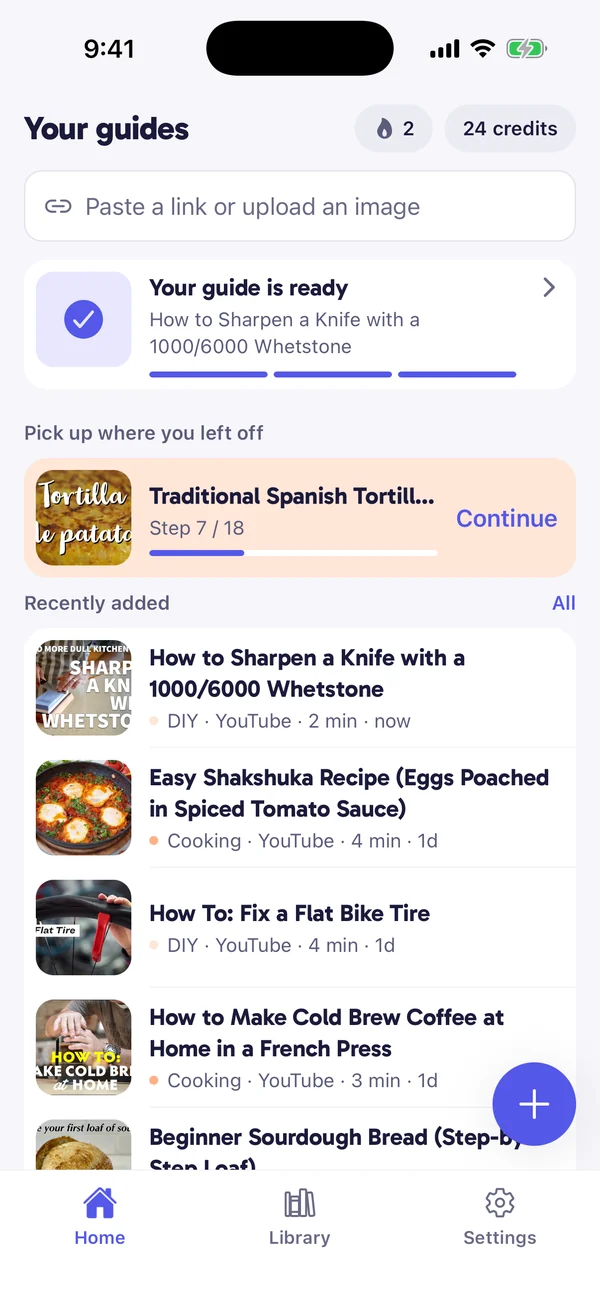
Each video becomes a guide in one library: sorted for you, searchable and there when you're offline.

Then just follow along.

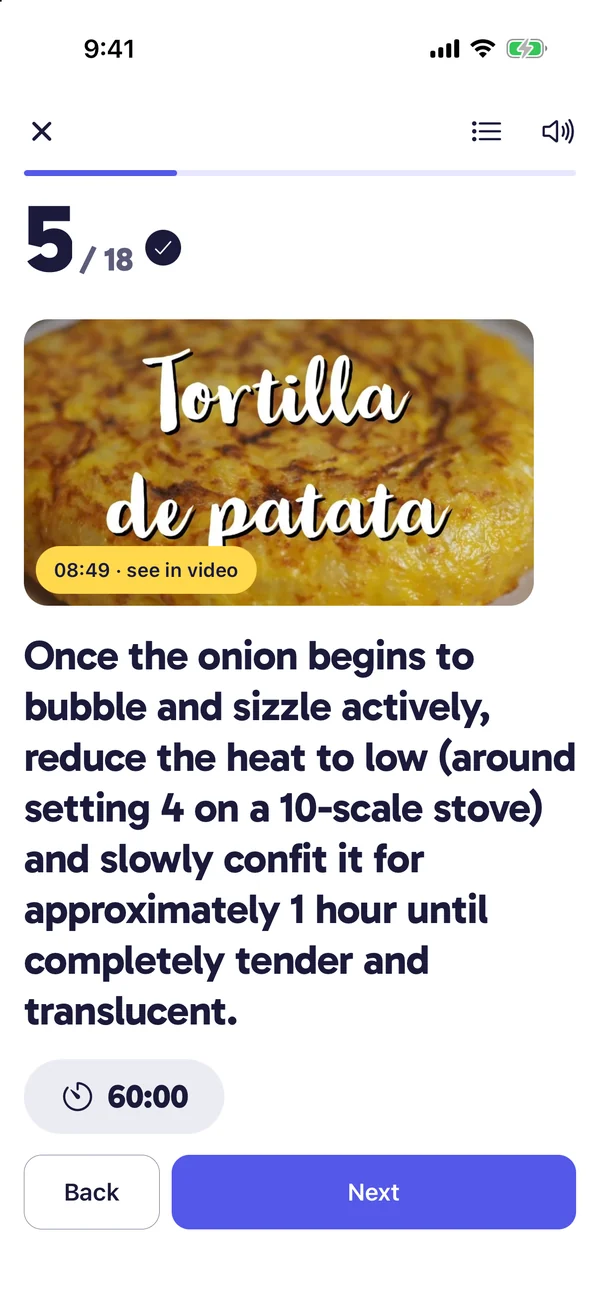
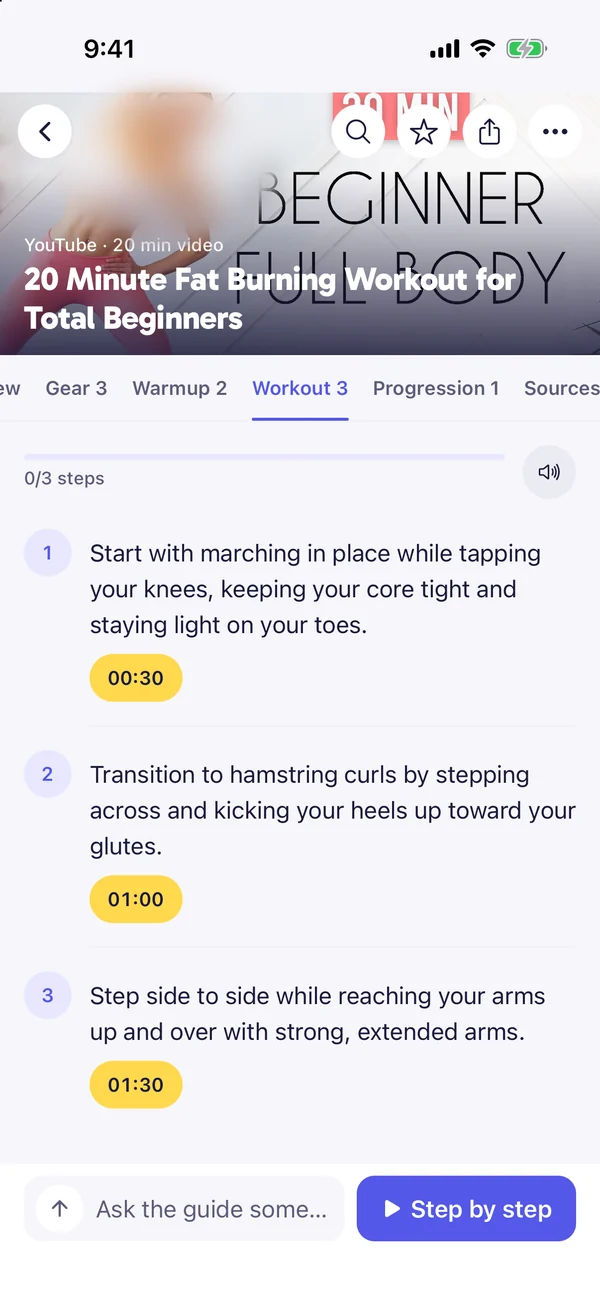
Step-by-step mode shows you one step at a time and can read it aloud while you work.

Try it on the next video you save.

Download VYK for free. You get 3 credits to try it, and a video up to 5 minutes long uses just 1.

Download on the App Store
The VYK app on iPhone

Guide ready

Traditional Spanish Tortilla de Patatas

  • One step per screen
  • Timer set for you
  • Screen stays on

Everything a saved video can't do.

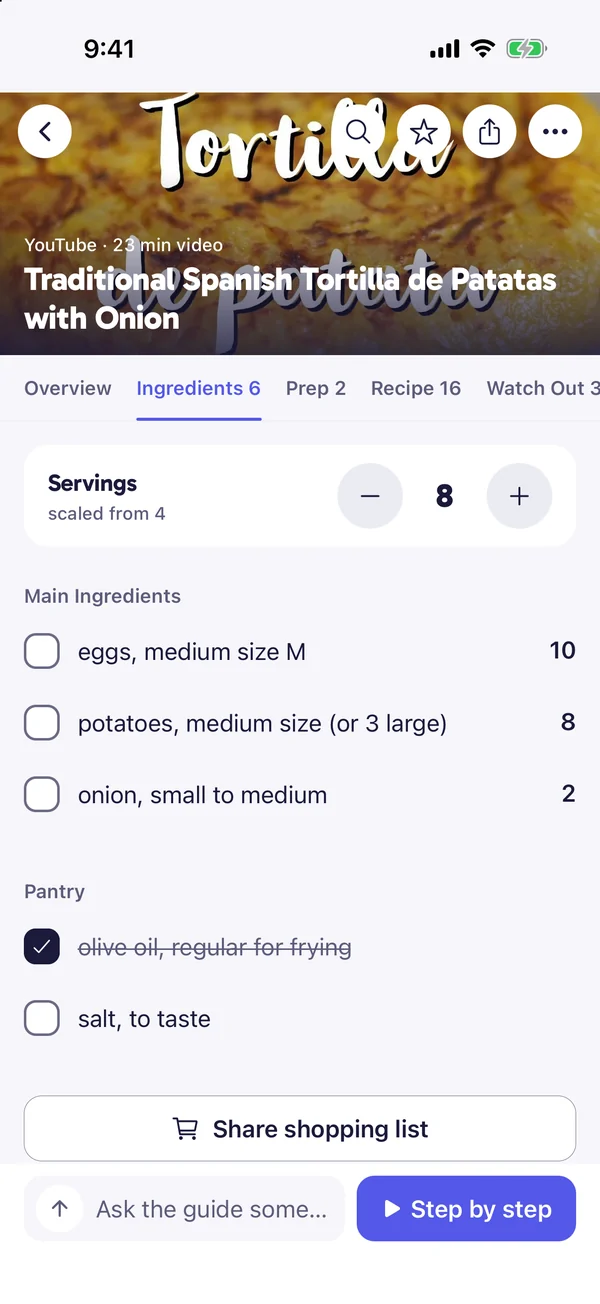
Servings that scale.

Cooking for 2 or for 8? Every amount adjusts on its own. Check off ingredients as you cook, or share them as a shopping list.

Ingredients scaled from 4 to 8 servings

Stuck? Ask VYK AI.

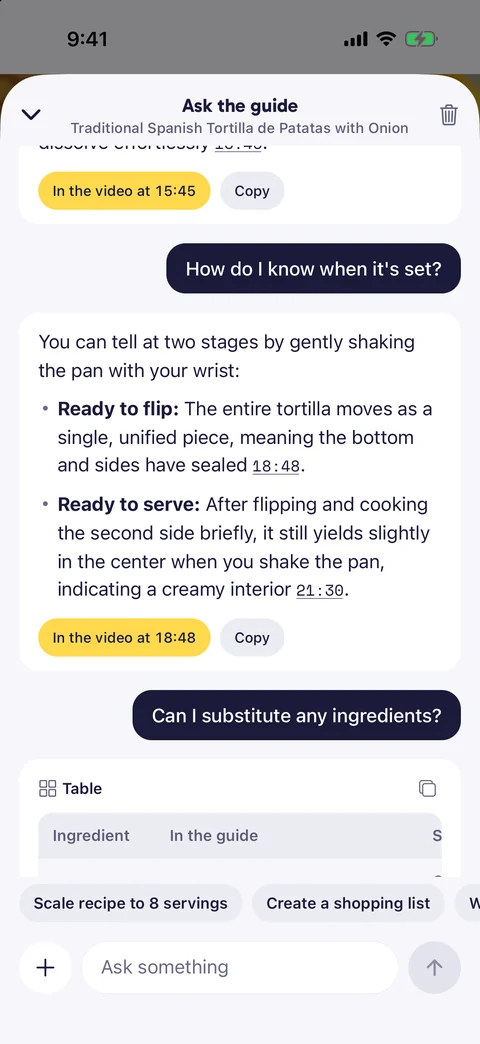
It answers from what the video actually says and shows you the moment it was said.

VYK AI answering a question about the video

A library that sorts itself.

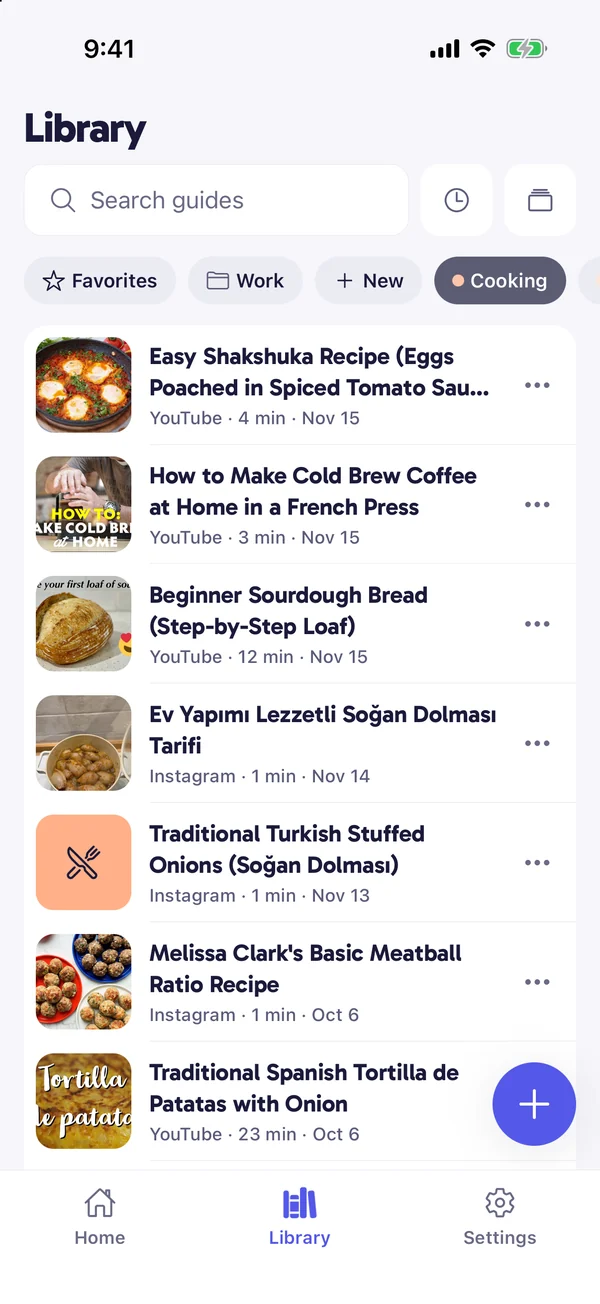
Every guide lands in the right category the moment it's made: cooking, fitness, DIY, education and more.

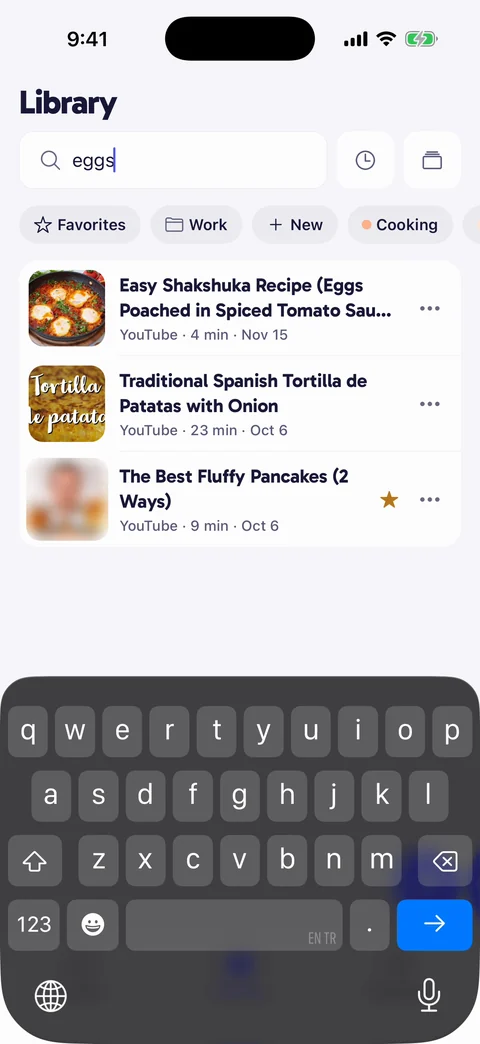
The library filtered by category

Find it again in seconds.

Remember the tip but not the video? Search looks inside every step and ingredient, not just titles.

Timers that set themselves.

When a step says to cook the onion for an hour, a 60:00 timer is waiting. VYK can also read each step aloud.

Step-by-step mode with a timer and read-aloud

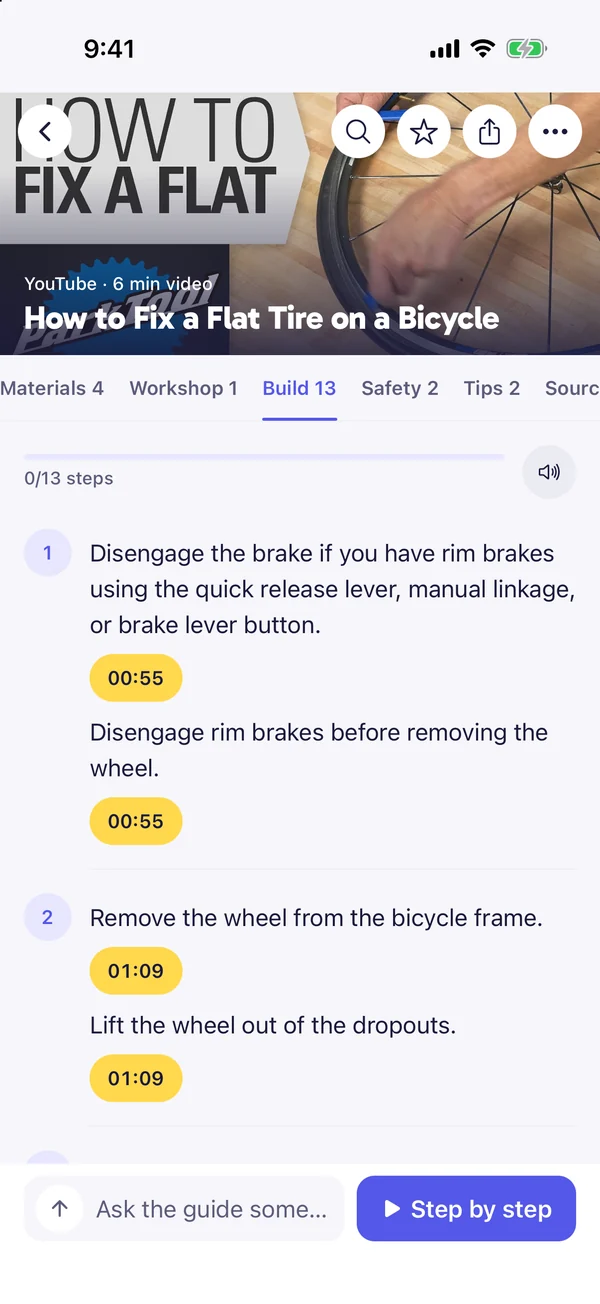
Every step keeps its moment.

On YouTube and Vimeo, tap 1:09 and the video opens right where the wheel comes off. No more scrubbing.

A frame from a bike repair video
Bike repair steps, each with its timestamp
  • 0:55
  • 1:09
  • 1:28

Any language in. Yours out.

The guide comes in your language, whatever language the video is in. 11 to choose from.

  • KO김치볶음밥 만들기

    Kimchi fried rice

  • ESTortilla de patatas fácil

    Easy Spanish omelette

  • JAふわふわパンケーキ

    Fluffy pancakes

  • PTPão de queijo caseiro

    Homemade cheese bread

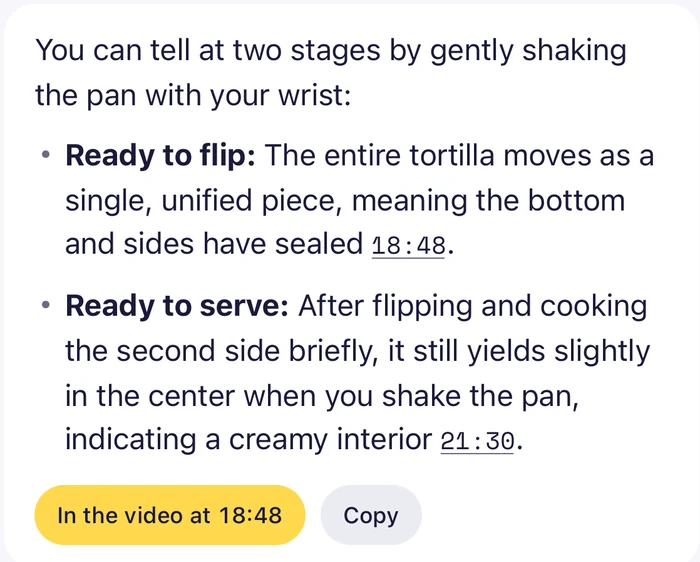
AI that shows its work.

You can always tell where a line came from: answers point to the moment in the video, and anything the AI added on its own is labeled Unverified.

An AI answer with timestamps from the video
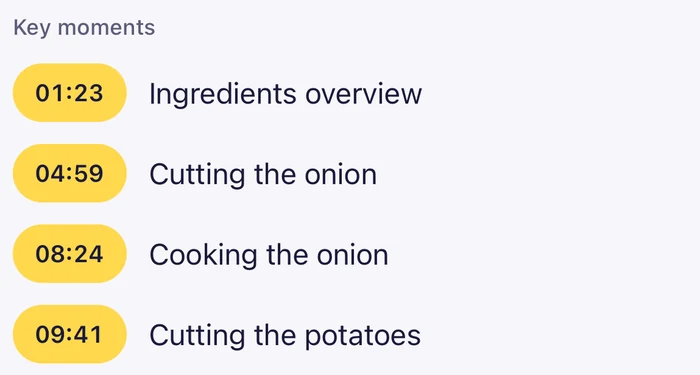
Key moments of a tortilla video: ingredients, cutting and cooking the onion, cutting the potatoes

Code you can copy.

Coding tutorials come out as exact steps, with every command in a code block ready to paste into your terminal.

3Stage and commit
git status
git add .
git commit -m "First commit"
See the Git tutorial guide

Works with the apps you already use.

Tap Share in YouTube, TikTok, Instagram, X or Reddit and choose Save to VYK. Or paste a link from Vimeo, Facebook, LinkedIn and more. Screenshots work too.

Try VYK free

More reasons to keep your guides in VYK.

  • Works offline. Your guides open with no signal: in the kitchen, at the gym or on a plane.

  • Locked with Face ID. Keep your library to yourself behind Face ID, with your passcode as a fallback.

  • PDF and Markdown. Export any guide to print it, send it or drop it into your notes app.

  • Collections you can share. Group guides into collections, share one with a link, or invite people to add to it.

  • Make it yours. Edit any step, amount or title. It's your guide.

  • Screenshots work too. A photo or screenshot of a recipe or a slide becomes a guide, just like a video.

Your guides stay yours.

Read the privacy policy
  • Videos aren't kept. VYK uses a video to write your guide and doesn't store a copy of it.

  • Nothing goes to AI without your OK. Before anything is sent to an AI service, the app names the companies and asks you first.

  • Delete it all, any time. Remove your account and your guides from the app's settings.

  • Encrypted. Your library is encrypted on its way to our servers and while it's stored there.

Start free. Upgrade if it sticks.

Free

No subscription needed

$0to start

Enough to try it on your own videos.

  • 3 credits in total (a video up to 5 min uses 1)
  • Step-by-step mode with timers
  • Read-aloud with your iPhone's voice
  • Library with search, works offline
  • Guides in 11 languages
  • Ask VYK AI 3 times a day

Pro

Recommended

$6.99New price · 28% less

$4.99/ month

For people who learn from video daily.

  • Everything in Free
  • 25 credits every day (a video up to 5 min uses 1)
  • Videos up to 90 minutes
  • Ask VYK AI 50 times a day
  • Read-aloud in a natural AI voice
  • Or $29.99 a year (save 50%)

A video up to 5 minutes long uses 1 credit, 5 to 20 minutes uses 2, 20 to 45 minutes uses 3, and 45 to 90 minutes uses 5. Prices are for the US App Store and may differ in your country.

Questions

Is VYK free?

Yes. VYK is free to download, and you start with 3 credits. A video up to 5 minutes long uses 1 credit, 5 to 20 minutes uses 2, 20 to 45 minutes uses 3, and 45 to 90 minutes uses 5. Free also includes step-by-step mode, read-aloud and 3 VYK AI questions a day. Pro gives you 25 credits every day, 50 VYK AI questions a day and a natural AI voice, for $4.99 a month or $29.99 a year (US prices).

What is VYK?

VYK is an iPhone app that turns videos into step-by-step guides you can follow. Share a recipe, workout or how-to video from YouTube, TikTok, Instagram and more, and in a minute or two you get the steps, amounts and timers, with every step marked with its moment in the video. Each guide goes into a library you can search, even offline.

Does VYK work with TikTok, Instagram and YouTube?

Yes, and with X, Reddit, Vimeo, Facebook and LinkedIn too, plus direct MP4 links. In YouTube, TikTok, Instagram, X or Reddit, tap Share and choose Save to VYK; for the others, paste the link into VYK. You can also make a guide from screenshots or photos.

How accurate are the guides?

VYK builds each guide from what the video actually says, using the creator's captions or a transcript of the audio. Every step keeps its moment in the video so you can check it, anything that isn't from the video is labeled Unverified, and you can edit any guide.

What languages are the guides in?

You can pick from 11: Arabic, Chinese, English, French, German, Japanese, Korean, Portuguese, Russian, Spanish and Turkish. The guide comes in the language you pick, whatever language the video is in.

How does VYK AI work?

Open any guide and tap Ask AI. VYK AI answers from the video's own transcript and points to the moment each answer comes from, so you can check it. It can also scale a recipe or turn the ingredients into a shopping list. Free includes 3 questions a day, Pro includes 50.

Does VYK keep a copy of the videos?

No. VYK reads a video only to write your guide and doesn't keep a copy. Every guide links back to the original video and its creator.

Is there an Android app?

Not yet. VYK is on iPhone today, and an Android version is planned.

Can I cancel Pro any time?

Yes. Pro is an App Store subscription, so you can cancel it any time in your iPhone's Settings and keep Pro until the end of the period you paid for.

What happens to my data?

To write a guide, VYK sends the video's content to its AI providers, and the app asks you before it does. Your guides are stored in your library, and you can delete your account and its data from inside the app. The Privacy Policy has the details.

Stop rewatching. Start doing.

Download VYK free and turn the next video you save into steps you can follow.

Download on the App Store
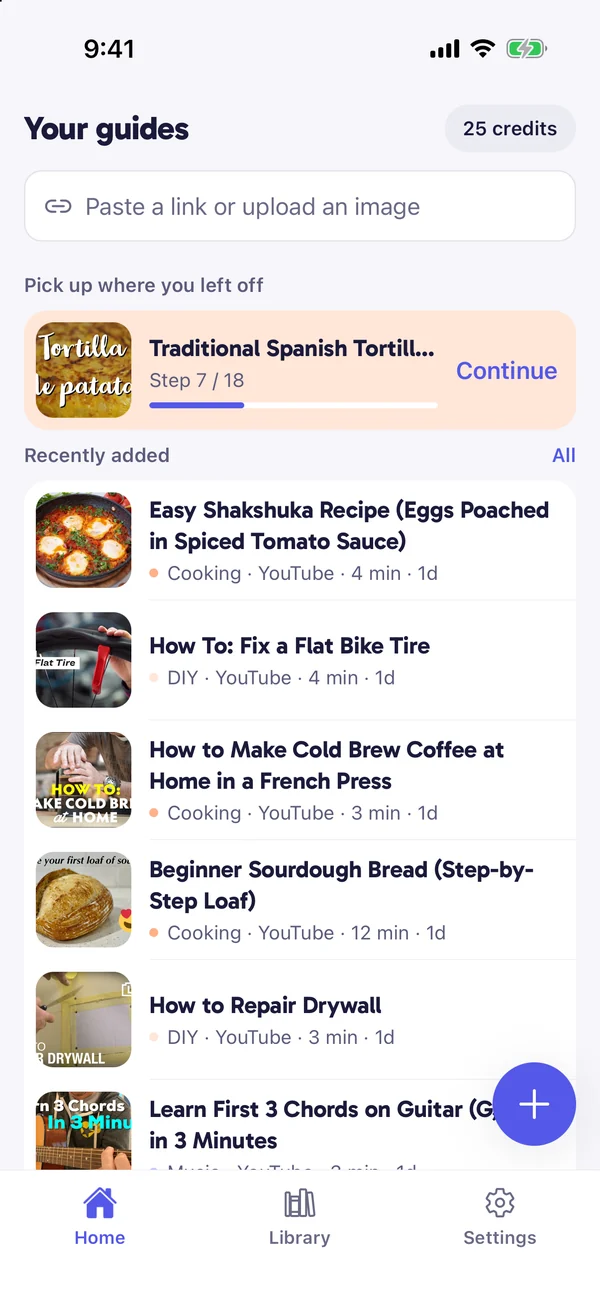
The VYK home screen showing a guide that is ready to open